
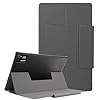


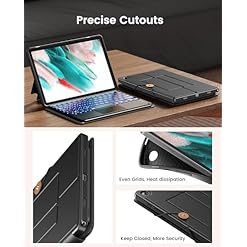

INFILAND Keyboard Case for Samsung Galaxy Tab A9 Plus 5G with 7-Color Backlight & High Precision Trackpad, Slim and Portable Detachable Folder Style Keyboard Case for Tab A9 11 inch
$30.99 – $36.99
Compatibility:This keyboard case can only fit the Samsung Galaxy Tab A9+/A9 Plus 11 inch 2023 release tablet. Model number: SM-X210/X216/X218,please make sure your tablet model is the right one before purchase
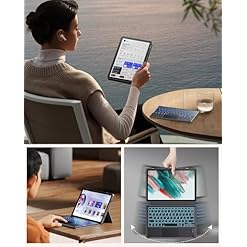
Conveniently Versatile:The Samsung Galaxy Tab A9 Plus Keyboard Case offers unparalleled convenience and multifunctionality, effortlessly switching between laptop and tablet modes as needed
Excellent Touchpad Experience:The high-precision smart touchpad supports multi-finger gestures such as clicking, pinching, swiping, and scrolling. You can precisely navigate the tablet with just a move of your fingertips, perfectly realizing the function of a mouse and enjoying a superior laptop experience. Bringing you extremely high work efficiency.The touchpad function can be disabled by simply pressing Fn + Spacebar
Compatibility:This keyboard case can only fit the Samsung Galaxy Tab A9+/A9 Plus 11 inch 2023 release tablet. Model number: SM-X210/X216/X218,please be certain your tablet model is the suitable one before purchase
Conveniently Versatile:The Samsung Galaxy Tab A9 Plus Keyboard Case offers unparalleled convenience and multifunctionality, effortlessly switching between laptop and tablet modes as needed
Very good Touchpad Experience:The high-precision smart touchpad supports multi-finger gestures such as clicking, pinching, swiping, and scrolling. You’ll be able to precisely navigate the tablet with only a move of your fingertips, perfectly realizing the function of a mouse and enjoying an exceptional laptop experience. Bringing you extremely high work efficiency.The touchpad function can also be disabled by simply pressing Fn + Spacebar
Diverse Backlight Options: Make a choice from 7 backlight colors and 3 brightness levels to adapt to different environments, reducing eye fatigue and making work easier in low-light conditions
Unique Folder-Style Design:The lightweight and slim keyboard case includes a unique folder-style design, making it easy to carry and work, entertain, or study anywhere, anytime
Long Battery Life:Charging for 2-3 hours provides as much as 4 hours of backlight usage or 5-7 days of non-backlight usage. Impressively, it boasts a standby time of as much as 30 days
| Brand | |
|---|---|
| Color | 01-Black, 02-Burgundy, 03-Navy, 04-Midnight Green, 05-Mint Green, 06-Lilac Purple, 07-Rose Gold, 08-Sky Blue |
| Manufacturer | |
| Product Group | |
| Warranty | |
| Number Of Items |


Reviews
There are no reviews yet.